
SVG to STL: turn an SVG into a 3D print
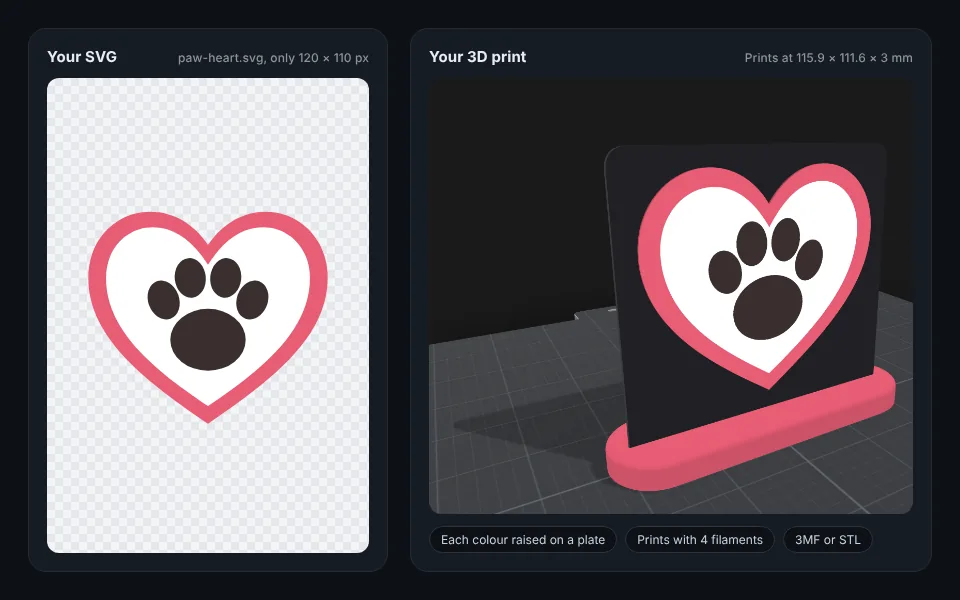
Upload an SVG: a logo, a sign or a cut file. Remeshy raises each colour on a plate and gives you a 3MF for multi-colour printers, or an STL. Even a tiny SVG comes out sharp.
Now try it with your own SVG
How to convert an SVG to STL
Add your SVG
Drop it in the box at the top of this page, or pick it from your phone. Logos, icons, signs and Cricut or Silhouette cut files all work.
Check the colours
Each fill colour becomes its own raised part. Change any colour to match your filament, or tap Fewer colours to fit your printer.
Choose the plate and size
Set the size in millimetres, how high the colours stand, and the plate: rounded, rectangle, circle, one that hugs the design, or none. Add a stand for a desk sign.
Download and print
Tap Download. A 3MF opens in Bambu Studio, OrcaSlicer and PrusaSlicer with each colour on its own filament; an STL is the whole model in one file, for any printer.
What happens to your SVG
- It’s drawn at full detail first, so a small SVG comes out as sharp as a big one.
- Each colour is traced into its own part, with holes kept open.
- Lines too thin to print at your size are thickened so they still print.
- The background is left out: a see-through SVG sits on a plate in the colour you choose.
- Only a picture of your SVG is sent to be traced. The file itself stays in your browser.
Text in an SVG is drawn with the fonts your device has. For exact lettering, turn text into outlines (paths) before you save the SVG.
Getting a good SVG
Cut files
SVG cut files made for Cricut or Silhouette work as they are: each colour becomes a raised part.
Outline the text
In Illustrator, Inkscape or Figma, turn text into outlines first so the letters keep their exact shape.
Filled shapes print best
An SVG made only of thin lines prints as thin raised lines, thickened where they’re too thin.
No SVG?
A PNG or JPG works too. More in <a href="/png-to-stl">PNG to STL</a>.
Questions people ask
Do I need to install anything?
No. It works in your browser on a computer or a phone, and in the Remeshy app for iPhone and Android.
Will a small SVG come out blurry?
No. The SVG is drawn at full detail before it’s traced, however small its own size is.
Does it keep my SVG’s colours?
Yes. Each fill colour becomes its own raised part: up to seven colours plus the background. Gradients come out as bands of colour.
Is my SVG uploaded?
Only a picture of it is sent to be traced. The SVG file itself stays in your browser.
Can I print it on a single-colour printer?
Yes. Print the STL in any filament. For two colours, change filament at the layer where the design starts.
Can I use a PNG or JPG instead?
Yes. They work the same way. More in PNG to STL.
Turn your SVG into a 3D print
Pick an SVG and see it raised in 3D in seconds.