
The best 3D printing apps for Android
Android is a great place to run a 3D printer from: every big printer maker has an app on Google Play, and there’s a good choice of OctoPrint and Klipper remotes too. Here are the nine worth installing, checked on Google Play on 28 October 2026.
Which app for your printer?
Start with the app made for your printer, then add the ones for the jobs it doesn’t do.
| You want to | Install | Why |
|---|---|---|
| Print something that doesn’t exist yet | Remeshy | Turns a photo or a sentence into an STL or 3MF file |
| Run a Bambu Lab printer | Bambu Handy | Bambu Lab’s own app, with the live camera and MakerWorld |
| Run a Prusa printer | Prusa | Prusa Connect and Printables in one free app |
| Run a Creality printer | Creality Cloud | Cloud slicing, so you can skip the computer |
| Run OctoPrint or Klipper | OctoApp or Printoid | Full remote control from your phone |
| Catch failed prints | Obico | AI failure detection that pauses a print going wrong |
| Copy a real object | Polycam | Builds a model from photos you take around it |
| Sculpt your own | Nomad Sculpt | Full sculpting, best on a tablet with a stylus |
The nine apps
-
Remeshy
Making your own models from a photo or a sentence
Photo to 3DText to 3DLogo to 3DSTL and 3MFSnap a pet, a toy or a sketch, or type an idea, and Remeshy shows a preview of the model before you commit. Happy with it? Create the model, turn it around in the 3D viewer, and export STL or 3MF for Bambu Studio, OrcaSlicer, Cura or PrusaSlicer.
It has ready-made modes for keychains, logos and 3D text, sends a notification when a model is ready, and keeps everything in My Models to reprint later. A code from the app signs you in on remeshy.com, so you can carry on at your computer. Prints from people who use it:
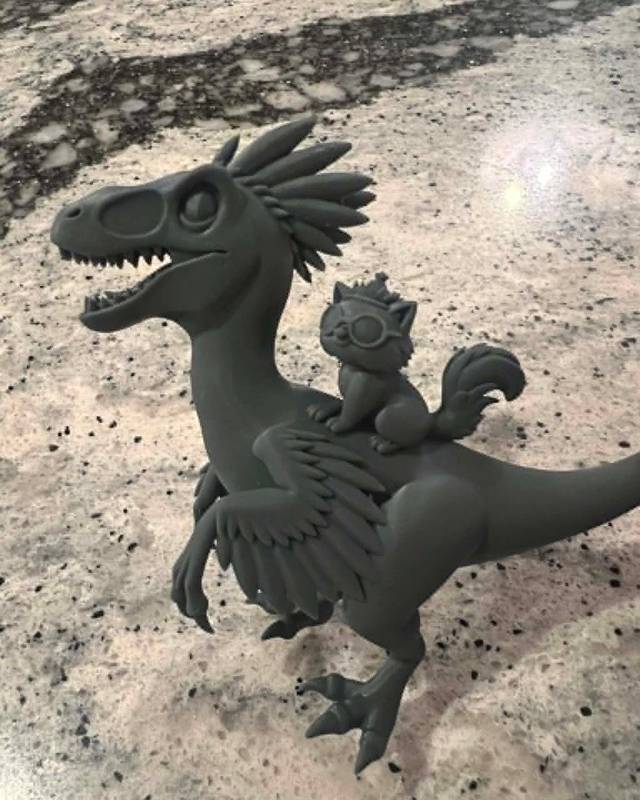
Velociraptor with squirrelMade from a photoElegoo Saturn 4 Ultra, resinSee it in 3D 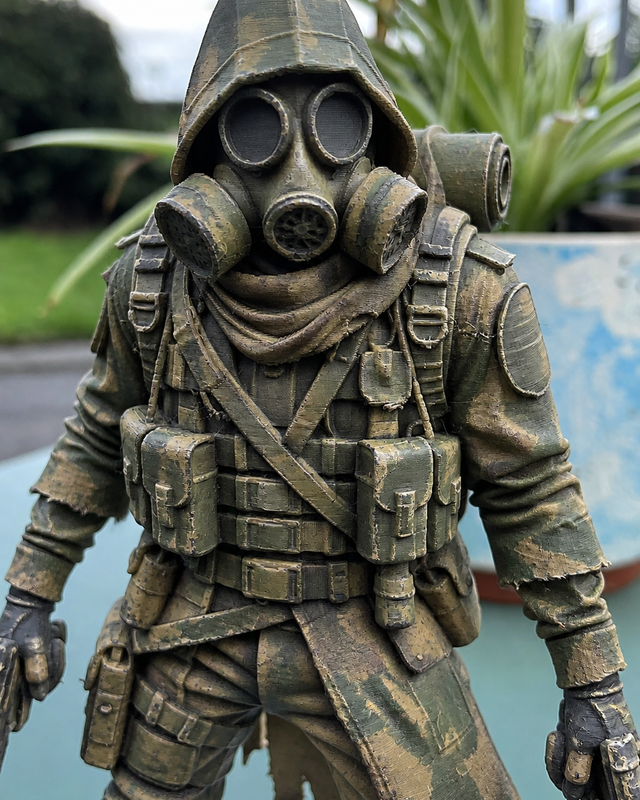
Post-apocalyptic soldier figurineMade from a photoAnycubic Kobra X, PLASee it in 3D 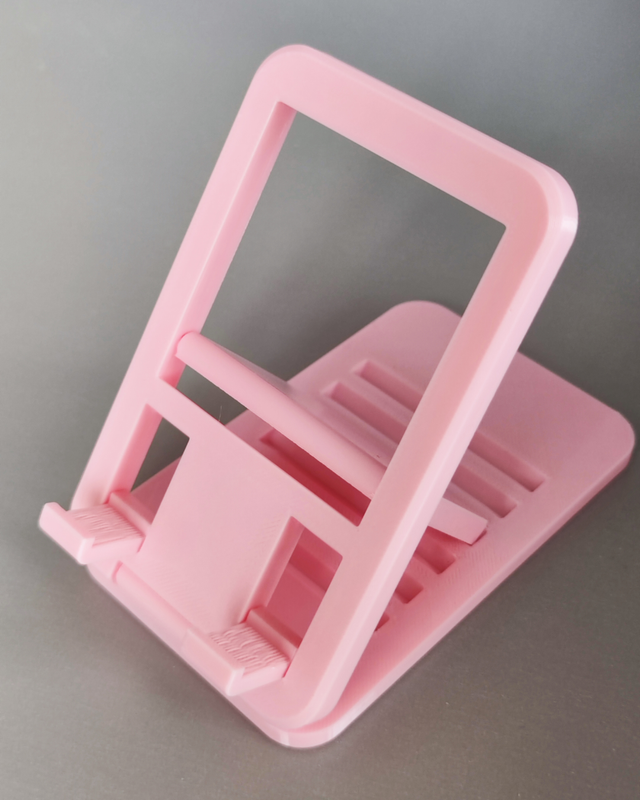
Adjustable phone standMade from a photoFlashForge Adventurer 5M, PLASee it in 3D -
Bambu Handy
Owners of a Bambu Lab printer
If you have a Bambu Lab printer, install this first. You can start a print from MakerWorld’s free library, watch it on the printer’s camera and get a notification when the print’s status changes.
Price: Free; optional in-app purchasesGoogle Play page -
Prusa
Owners of a Prusa printer
The front end for Prusa Connect: every Prusa printer you own in one list, with start, pause and stop. Printables.com is built in, so you can find a model and send it to a printer without leaving the app.
Price: FreeGoogle Play page -
Creality Cloud
Owners of a Creality printer
Creality’s app slices in the cloud, which makes it one of the few ways to go from a model to a print with no computer at all. It also has a big model library and remote control. Expect ads in the free version.
Price: Free with ads; optional PremiumGoogle Play page -
OctoApp
OctoPrint and Klipper, with a modern design
A polished remote for OctoPrint and for Klipper through Moonraker, Mainsail or Fluidd, and it handles Bambu Lab and Elegoo printers too. The basics are free; in-app purchases unlock the rest.
Price: Free; optional unlockGoogle Play page -
Printoid for OctoPrint
OctoPrint power users who’d rather pay once
A long-running OctoPrint remote. The paid PREMIUM version adds video streaming, custom G-code and SSH commands, 2D and 3D G-code viewers and support for several OctoPrint servers. There’s a free LITE version to try first.
Price: Paid; free LITE version with adsGoogle Play page -
Obico
Spotting failed prints before they waste a spool
Open-source and from the makers of The Spaghetti Detective. It streams your printer’s webcam, gives you remote control of OctoPrint and Klipper, and its AI failure detection pauses a print that’s turning into spaghetti.
Price: FreeGoogle Play page -
Polycam
Copying a real object
Walk around an object taking photos and Polycam builds a 3D model from them, at close to its real size. That makes it the right tool for a replacement part; exporting STL needs Pro.
Price: Free; Pro subscription for STL exportGoogle Play page -
Nomad Sculpt
Sculpting by hand on a tablet
Serious sculpting on Android: clay and smoothing brushes, layers, voxel remeshing and pen-pressure support. It exports STL and OBJ, and it shines on a tablet with a stylus.
Price: Free download; in-app purchasesGoogle Play page
How to 3D print from an Android phone
Get a model
Make one in Remeshy from a photo or a sentence, or find one in the Remeshy community, MakerWorld or Printables.
Make sure it slices
If a downloaded file throws errors, run it through the free Remeshy STL repair in Chrome first.
Slice it
Creality Cloud slices in the cloud, and Bambu Handy prints MakerWorld models with ready-made profiles. For anything else, slice on a computer.
Print and keep an eye on it
Start the print from your printer’s app, OctoApp or Printoid, and let Obico watch for failures while you’re away.
Android tablets and foldables
A bigger screen helps with 3D work. On a tablet, Nomad Sculpt with a stylus is the closest thing to sculpting with a real tool, and checking supports and thin parts before a print is far easier than on a phone.
On a foldable, open it up to inspect a model on the inner screen. And remeshy.com works in Chrome on any tablet or Chromebook, so you can make models without installing anything.
How we chose
One app for each job (making, running the printer, watching for failures, scanning and sculpting), read from each Google Play listing on 28 October 2026. Prices and features change, so check the listing before you pay. On iPhone? See the best 3D printing apps for iPhone. For computer apps too, see 3D printing apps for every step.
Questions people ask
What is the best 3D printing app for Android?
Start with your printer maker’s app: Bambu Handy, Prusa or Creality Cloud. For OctoPrint or Klipper, use OctoApp or Printoid, and add Obico to catch failed prints. To make your own models from a photo or a sentence, use Remeshy.
Is there a free 3D printing app for Android?
Yes, several. Prusa and Obico are free. Bambu Handy, Creality Cloud, OctoApp, Polycam and Nomad Sculpt are free to download with optional purchases. In Remeshy, previews are free, and the STL repair tool on remeshy.com is free.
Can I control OctoPrint from Android?
Yes. OctoApp and Printoid are full OctoPrint remotes, and Obico adds webcam streaming and AI failure detection. OctoApp and Obico also work with Klipper.
Can I make STL files on Android?
Yes. Remeshy makes STL and 3MF files from a photo or a text description. Nomad Sculpt exports STL from your own sculpts, and Polycam exports STL from scans with its Pro plan.
Can I 3D print from an Android phone without a computer?
Often, yes. Creality Cloud slices in the cloud, and Bambu Handy prints MakerWorld models with ready-made profiles. For your own files on other printers, you’ll usually still slice on a computer.
Make your first model on Android
Take a photo of anything and see a preview of the model before you pay a thing.