
JPG to DXF: turn an image into cut-ready outlines
Upload a JPG of a sign, logo or drawing. Remeshy traces it into closed outlines, one layer per colour, in millimetres, and saves a DXF that LightBurn, laser and CNC software and CAD programs open.
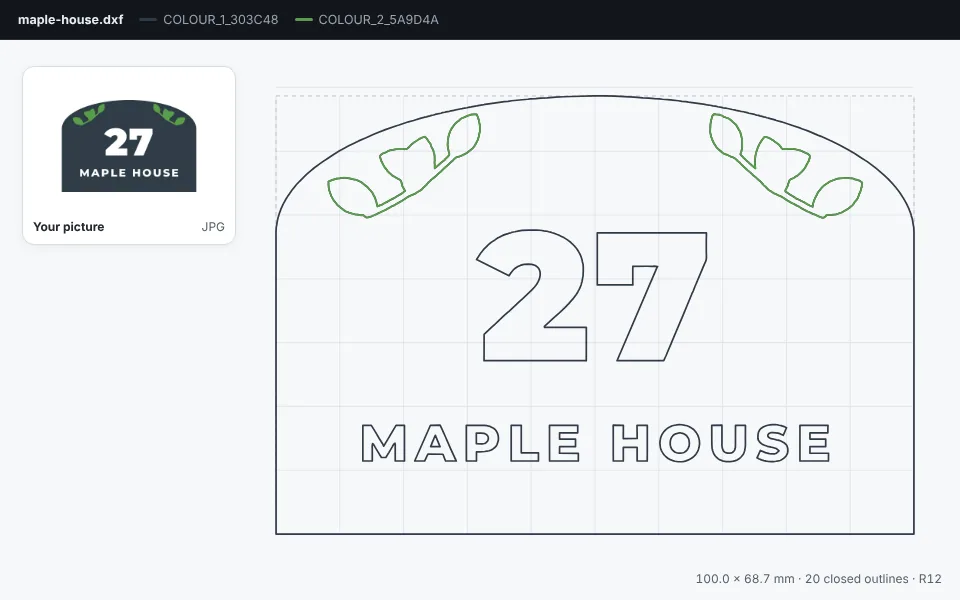
Now try it with your own image
How to convert a JPG to DXF
Add your image
Drop it in the box at the top of this page. Signs, logos, lettering and line drawings in a few solid colours work best.
Check the outlines
Each colour becomes a layer of its own and the speckles a JPG adds are left out. Tap Fewer colours if a shadow came out as an extra layer.
Set the size
Choose the width in millimetres. The DXF is drawn at exactly that size, with the bottom-left corner at 0,0.
Download the DXF
Tap Download and choose DXF, then open it in LightBurn, your laser or CNC software, or a CAD program.
What’s in the DXF
- Closed outlines for every shape and every hole, ready to cut, engrave or fill.
- Letters keep their holes: the inside of an A, an O or a 6 is its own outline.
- One layer per colour, so the plaque and the leaves can get different settings.
- Millimetres, drawn at the width you set.
- An R12 DXF, the version nearly every laser, CNC and CAD program opens.
Ideas for a laser or CNC
House signs and plaques
Cut the plaque’s outline, then engrave or cut out the number and name, in wood, acrylic or metal.
Logos on products
Engrave a logo on a chopping board, a tumbler or a leather patch.
Stencils
Cut the outlines from card or mylar. Letters with closed centres, like A and O, need small bridges added in your software.
Need an SVG?
For Cricut, Silhouette or Glowforge, choose SVG instead. More in <a href="/jpg-to-svg">JPG to SVG</a>.
Questions people ask
Do I need to install anything?
No. It works in your browser on a computer or a phone, and in the Remeshy app for iPhone and Android.
Which programs open the DXF?
It’s an R12 DXF, the most widely read version: LightBurn, laser and CNC software, and CAD programs such as AutoCAD and Fusion open it.
Is the DXF in millimetres?
Yes, at the size you set. R12 files don’t store their units, so choose millimetres if your software asks.
Will curves come out smooth?
Yes. Curves are drawn within 0.02 mm of the traced shape, far finer than a laser beam or a cutter.
Can I convert a photo to DXF?
Yes. The AI redraws it in flat colours first, so a photo becomes a simpler picture before it’s traced. A drawing, a sign or a high-contrast picture gives the cleanest outlines.
Can I convert a PNG too?
Yes. PNG, JPG and WebP all work. More in PNG to DXF.
Turn your JPG into a DXF
Pick an image and see its outlines in seconds.